

Module Activation
WPify Woo is a free plugin that adds WooCommerce features primarily for Czech and Slovak stores.
How to Activate Modules
Section titled “How to Activate Modules”To enable modules, go to WPify → WPify Woo and turn on the desired module. Save changes using the button at the bottom of the page.
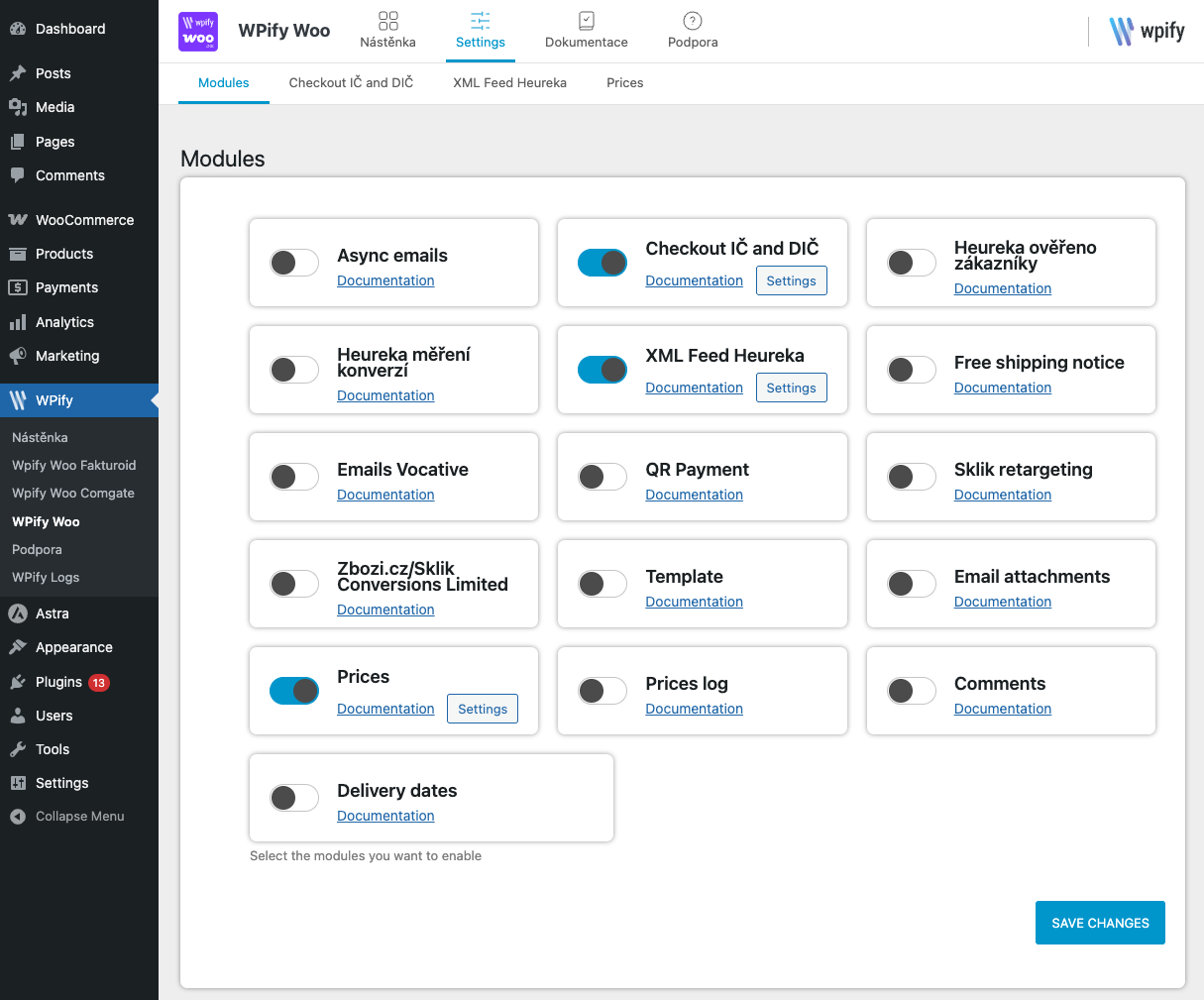
After saving changes, a link to the enabled module’s settings will appear at the top of the page.
Available Modules
Section titled “Available Modules”Checkout and Payments
Section titled “Checkout and Payments” VAT ID in Checkout Business fields with ARES and VIES validation
QR Payment QR codes for bank payments
Template Customize checkout texts and appearance
Marketing and Analytics
Section titled “Marketing and Analytics” Heureka Verified by Customers Collect customer reviews
Heureka Conversion Tracking Track purchases for Heureka
Sklik Retargeting Remarketing for Sklik
Zboží.cz Conversions Conversion tracking for Zboží.cz
XML Feed Heureka Export products to XML feed
Emails and Notifications
Section titled “Emails and Notifications” Free Shipping Notice Progress bar with free shipping information
Email Attachments Attach files to emails
Async Email Sending Faster order completion
Vocative Case in Emails Proper customer addressing (Czech language)
Products and Prices
Section titled “Products and Prices” Delivery Dates Display delivery dates on products
Price Settings Price formatting and display
Price History Log product price changes
Comments Extended review functionality
Each module can be configured in the WPify Woo menu after activation.