

General Settings
Where to find the settings?
Section titled “Where to find the settings?”WordPress Admin → WPify → WPify Woo Discount Rules
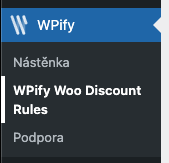
General Settings
Section titled “General Settings”1. Tax of cart discount
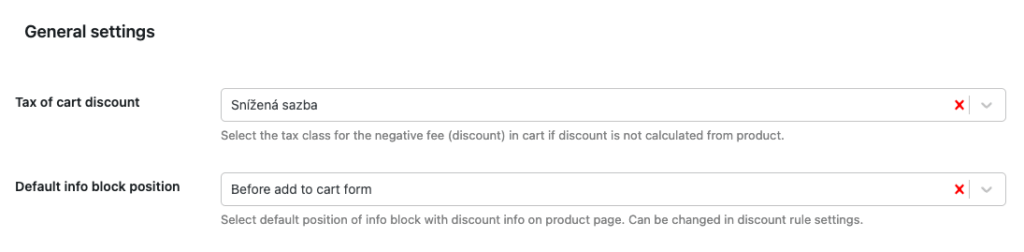
Section titled “1. Tax of cart discount”Determines how VAT is calculated for cart discounts applied as a negative fee (Fee Based mode).
Options:
| Option | Description | Usage |
|---|---|---|
| No Tax | Discount is not taxed | Special cases (e.g., coupons without VAT) |
| Default (Spread) | VAT distributed proportionally across products | Universal setting |
| Specific Tax Class | Discount uses VAT from the selected class | When you need a specific rate |
Typical CZ/SK VAT classes:
- Standard rate: 21%
- Reduced rate: 15%
- Second reduced rate: 10%
2. Default info block position
Section titled “2. Default info block position”Determines where discount information is displayed on the product page, unless overridden in the rule settings.
| Position | Description |
|---|---|
| Single product summary | At the beginning of the product summary |
| After single product summary | After the product summary |
| Before add to cart form | Recommended |
| After add to cart form | After the add to cart button |
| Product meta start | Before SKU, categories |
| Product meta end | After SKU, categories |
3. What is displayed in the info block?
Section titled “3. What is displayed in the info block?”- Marketing message from the rule settings
- Countdown — countdown to the end of the discount (if enabled)
- Pricing tables — for Bulk and Bundle discount types
4. Debug Mode
Section titled “4. Debug Mode”Enables a debug panel on the cart and checkout pages. The panel is visible only to administrators and displays:
- Rules Overview — a table of all active rules with an overview of settings, conditions, filters, and their validation status (pass/fail)
- Cart Pool — visualization of the pool state (consumed and available items)
- Raw Tracking Data — raw data about applied discounts
See Troubleshooting for more details.
Savings Summary
Section titled “Savings Summary”Shows customers an overview of applied discounts and the total amount saved.
Position Settings
Section titled “Position Settings”Field: Show savings summary on
Select where the summary should be displayed:
| Position | Description |
|---|---|
| Cart - before | Before the cart table |
| Cart - after table | After the cart table, before cross-sells |
| Cart - in totals table | Directly in the totals table as a row |
| Cart - after | At the end of the cart page |
| Checkout - before form | Before the checkout form |
| Checkout - before order review | Before the order review |
| Checkout - before submit | Before the place order button |
| Checkout - in totals table | Directly in the order review table as a row |
Content Display
Section titled “Content Display”Fields: Show discount labels and Show saved value
Determines what is shown in the summary:
| Setting | Description |
|---|---|
| Show discount labels | Displays the names/labels of applied rules |
| Show saved value | Displays the total amount saved |
Display Examples
Section titled “Display Examples”In the totals table (recommended):
Subtotal: $40.00Shipping: $4.00───────────────────────────────Total: $38.00───────────────────────────────You saved: $6.00 (Winter Sale, VIP Bonus)Outside the table:
┌─────────────────────────────────────┐│ Applied discounts: Winter Sale, VIP ││ You saved: $6.00 │└─────────────────────────────────────┘Shortcode
Section titled “Shortcode”For custom placement, use the shortcode:
[wpify_discounts_savings_summary]The shortcode renders the complete savings summary block including discount names and saved amount. The content follows the Show discount labels and Show saved value settings.
See Shortcodes for more details.
Additional Modules
Section titled “Additional Modules”The plugin includes extension modules that can be activated as needed. An inactive module is not loaded and does not affect site performance.
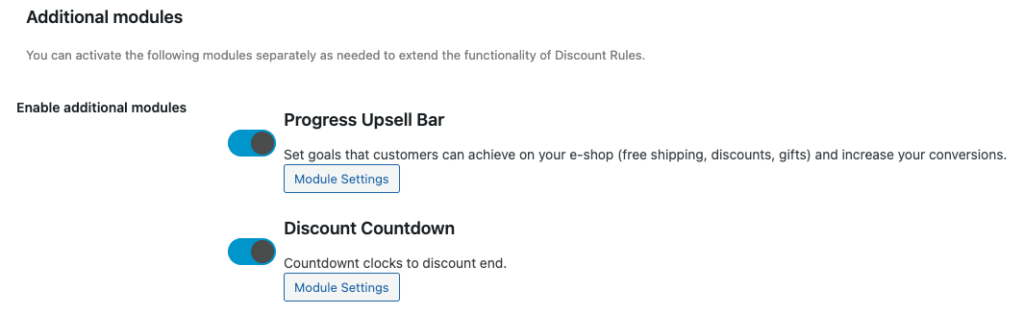
A progress bar displaying motivational messages:
- “Only $X more for free shipping”
- “Only $X more to get a discount”
See Progress Upsell Bar for more details.
Displays a countdown to the end of a discount on the product page. Activates automatically if the rule has a “Date to” condition set.
See Discount Countdown for more details.
Displays badges on product images:
- Discount badges with variables (
-{percent}%,Save {value}) - “New” badge for new products
- “Tip” badge for featured products
See Product Badge for more details.
Displays coupon CTA blocks on product pages:
- Automatic coupon application when adding to cart
- Multiple display styles (Minimal, Bordered, Shined)
- Placeholders for dynamic text (
{discounted_price},{coupon_code})
See Coupons for more details.