

Free Gift
This feature allows customers to choose one or more products for free after meeting conditions, typically a minimum cart value.
When to Use
Section titled “When to Use”- Increasing average order value
- Loyalty programs
- Clearing product samples
- VIP offers
- Seasonal campaigns
How It Works
Section titled “How It Works”- The customer meets the defined condition
- The gift offer is displayed
- The customer selects a gift from the list
- The gift is added with a 100% discount
Difference from Buy X Get Y
Section titled “Difference from Buy X Get Y”- Free Gift — requires meeting general conditions
- Buy X Get Y — tied to specific trigger products
Step 1: Basic Settings
Section titled “Step 1: Basic Settings”- Type: Free Gift
- Mode: Manual Select, Auto Add, or Upsell in Cart Item
Step 2: Filters (optional)
Section titled “Step 2: Filters (optional)”Products/categories that must be in the cart for activation
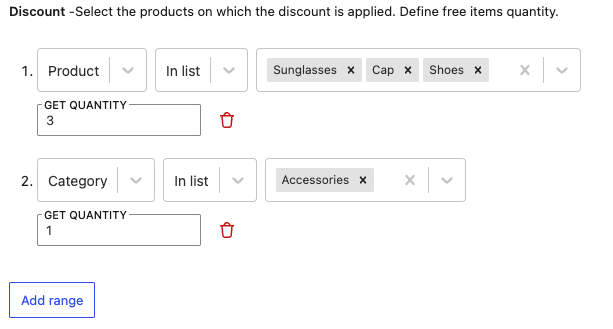
Step 3: Gift Selection
Section titled “Step 3: Gift Selection”- List of available gifts
- Maximum number of items
Step 4: Activation Conditions
Section titled “Step 4: Activation Conditions”- Minimum cart value
- Number of items
- User role (VIP)
Examples
Section titled “Examples”Gift on orders over $100
- Condition: Cart >= $100
- Gifts: Choose 1 item from the list
3 samples with cosmetics
- Filter: Category Cosmetics
- Condition: Cart >= $50
- Gifts: 3 items from the Samples category
Progressive gifts
- Create separate rules with different threshold values
Technical Details
Section titled “Technical Details”- The plugin automatically hides out-of-stock items
- The gift is removed when conditions are no longer met
- For progressive gifts, create separate rules
- The customer can remove the gift at any time and choose another