Payment Gateways
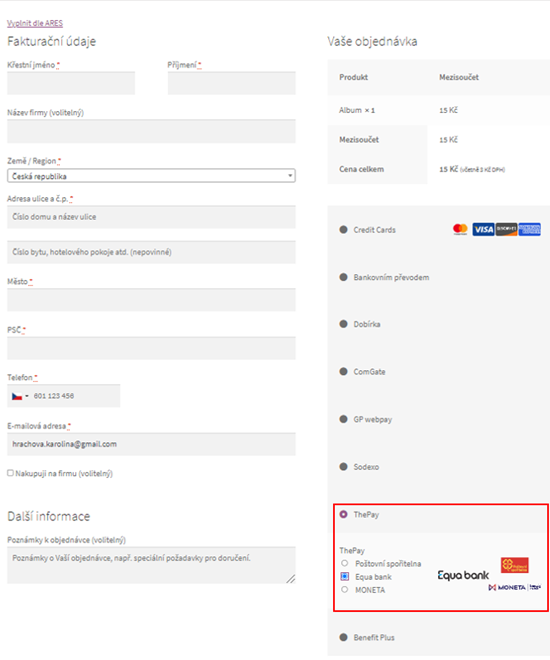
The plugin provides multiple payment gateways that can be individually enabled in WooCommerce → Settings → Payments.
Available Gateways
Section titled “Available Gateways”| Gateway | ID | Description |
|---|---|---|
| ThePay | thepay | Main gateway — displays all enabled payment methods on a single ThePay payment page |
| ThePay – Card | thepay-card | Direct card payments (supports preauthorization) |
| ThePay – Apple Pay | thepay-applepay | Apple Pay payments (supports preauthorization) |
| ThePay – Google Pay | thepay-googlepay | Google Pay payments (supports preauthorization) |
| ThePay – Bitcoin | thepay-bitcoin | Bitcoin payments |
| ThePay – Pay in 30 days | thepay-platimpak | Buy now, pay later (PlatimPak) |
Gateway Settings
Section titled “Gateway Settings”Each gateway has the following common settings:
| Field | Description |
|---|---|
| Enable/Disable | Enable or disable this payment method |
| Title | Name displayed to customers during checkout |
| Description | Description shown below the payment method name |
| Successful payment status | WooCommerce order status after successful payment (default: Processing) |
| Display logo | Show the payment method logo in checkout |
Main Gateway (ThePay)
Section titled “Main Gateway (ThePay)”The main ThePay gateway has an additional setting:
| Field | Description |
|---|---|
| Enabled Payment methods | Select which payment methods to display on the ThePay payment page (bank transfers, card payments, etc.) |
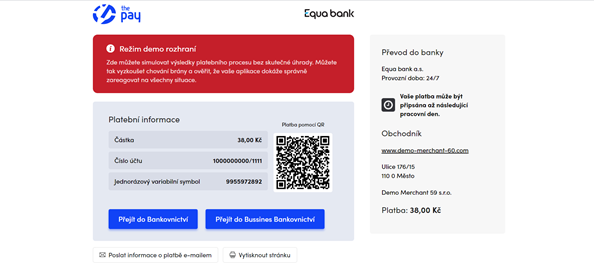
When using the main gateway, customers are redirected to a ThePay payment page where they choose from the enabled payment methods. Available methods include card payments, bank transfers (Platba 24, mBank, Fio, ČSOB, EQUA bank, MONETA, Poštovní spořitelna, E-platby, etc.), Bitcoin and more — depending on your ThePay merchant account configuration.
Preauthorization
Section titled “Preauthorization”Card, Apple Pay, and Google Pay gateways support preauthorization — the payment amount is blocked on the customer’s card but not charged immediately. This is useful for orders that need to be verified before final charge.
Preauthorization Settings
Section titled “Preauthorization Settings”| Field | Description |
|---|---|
| Enable preauthorization | Enable the hold & capture flow |
| Authorized payment status | Order status when payment is preauthorized (default: On hold) |
| Capture preauthorization on statuses | Order statuses that trigger the final charge (default: Completed) |
| Cancel preauthorization on statuses | Order statuses that cancel the held amount (default: Cancelled, Refunded, Failed) |
How Preauthorization Works
Section titled “How Preauthorization Works”- Customer places an order and pays with a card
- The amount is blocked on the customer’s card (not charged)
- The order receives the Authorized payment status (e.g., On hold)
- When the order status changes to one of the Capture statuses (e.g., Completed), the amount is charged
- If the order status changes to one of the Cancel statuses (e.g., Cancelled), the held amount is released
Refunds
Section titled “Refunds”The plugin supports full refunds through WooCommerce:
- Open the order in WooCommerce → Orders
- Click Refund
- Enter the refund amount
- Click Refund via ThePay
The refund is processed through the ThePay API and the customer receives the refunded amount back to their original payment method.