Voucher Templates
Voucher templates define the visual appearance of generated gift vouchers. Configure them at WooCommerce → Settings → Wpify Woo → WPify Woo Product Vouchers in the Templates section.
Creating a New Template
Section titled “Creating a New Template”Click Add template and fill in:

| Field | Description |
|---|---|
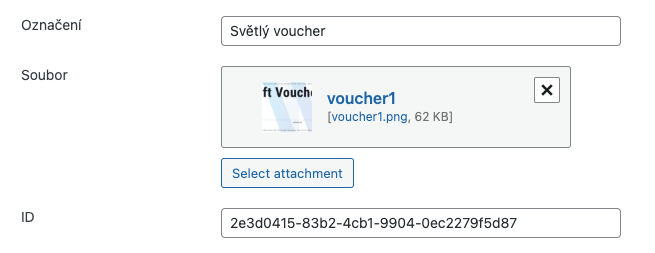
| Label | Template name for identification (e.g., “Light voucher”) |
| File | Background file (JPG, PNG or PDF) — should have blank areas for dynamic text. When a PDF is used, the voucher output is always PDF regardless of the output type setting. |
| ID | Unique identifier (auto-generated, do not modify) |
Adding Dynamic Elements
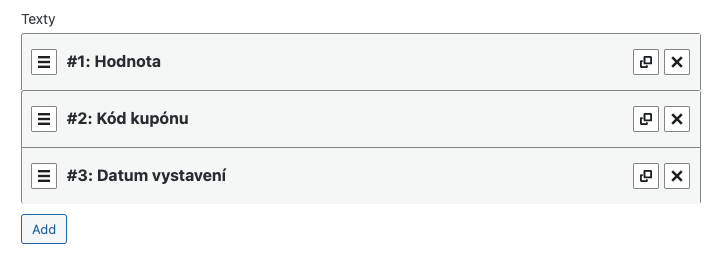
Section titled “Adding Dynamic Elements”In the Texts section of each template, add dynamic elements that will be rendered on the voucher image:
| Element | Description |
|---|---|
| Code | Unique coupon code generated by the plugin |
| Value | Coupon value (determined by the product price) |
| Date of validity | Expiration date of the coupon |
| Date of creation | Date when the coupon was generated |
Text Parameters
Section titled “Text Parameters”For each dynamic element, configure:
| Parameter | Description |
|---|---|
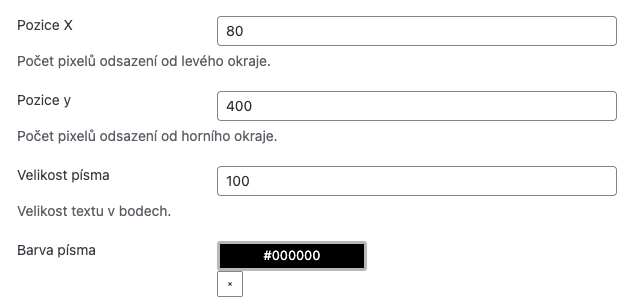
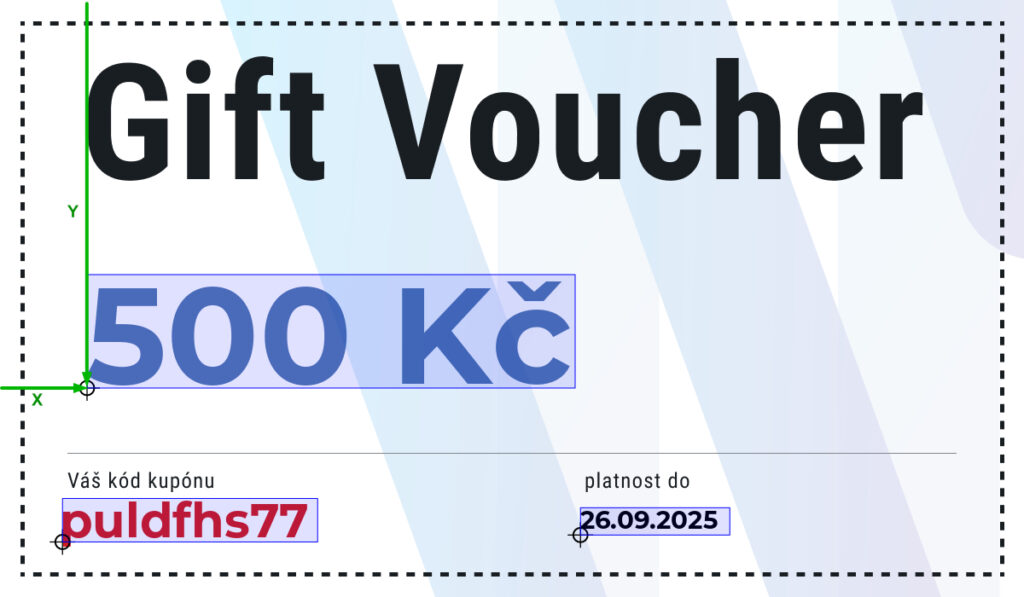
| Position X | Pixels from the left edge of the image |
| Position Y | Pixels from the top edge of the image (baseline is the lower-left corner of the text) |
| Font Size | Text size in points |
| Font | Select a custom font uploaded in the Fonts section, or use the default (Noto Sans) |
| Color | Text color (HEX format or color picker) |

Multiple Templates
Section titled “Multiple Templates”You can create multiple templates for different purposes:
- Different values — create separate templates with specific designs for different voucher amounts, eliminating the need for dynamic value display
- Customer choice — create several design variants and let customers choose their preferred template on the selection page
- Seasonal designs — create themed templates for holidays or special occasions
- Test each template after creation by generating a test voucher
- Consider hiring a professional designer for optimal visual quality
- Ensure dynamic text areas have sufficient contrast against the background image
- The preview function in the admin shows how the template will look with sample data